
Your focus
starts here.
Get FocusedMe by Just Fary on your phone to begin your first focus journey.
On Android? Join the Android beta
No phone handy? Use FocusedMe in your browser

Scan with your phone
Open your camera and point it at the code to get the app.
How to start
Three steps
Download the app
Get FocusedMe on your phone.
Sign in
Use your email or Google account.
Tap your bracelet
Touch the main bead to your phone to begin.
Watch the demo
See how it works
From bracelet to focus in a few seconds.
-
1
Find the main beadThe one with the chip inside.
-
2
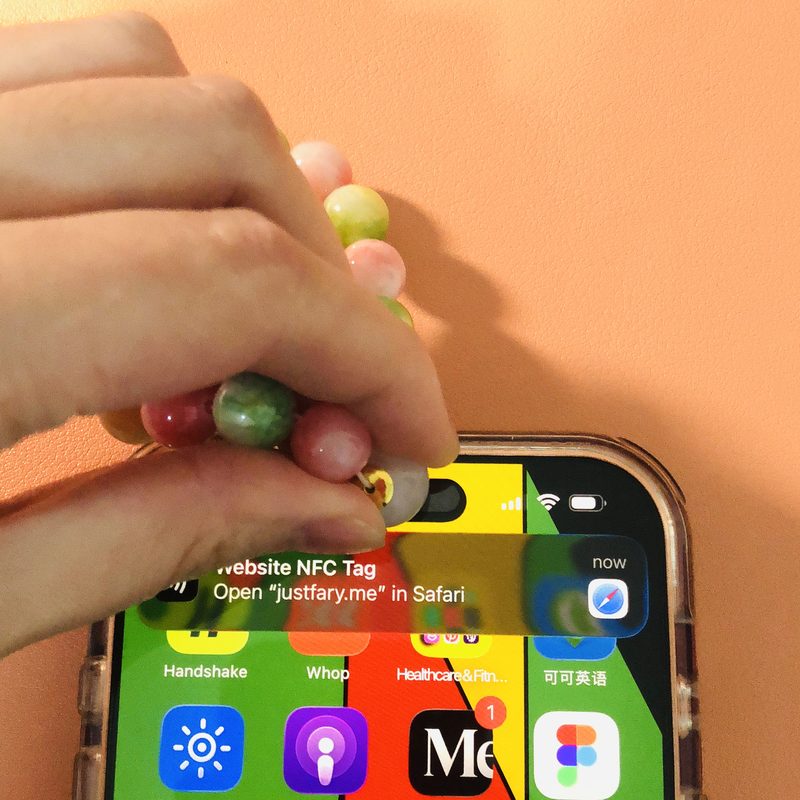
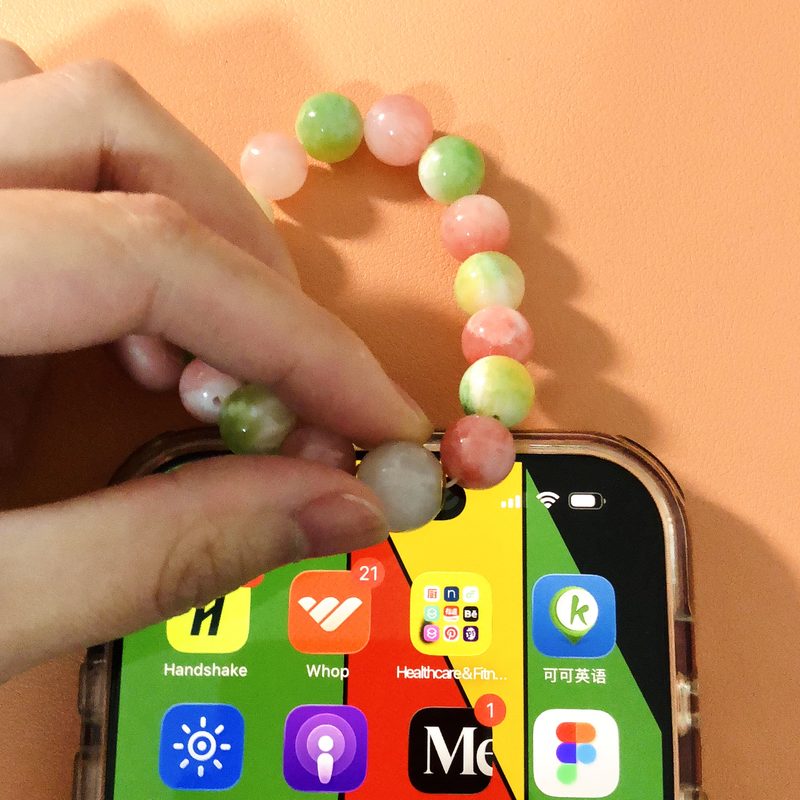
Hold it to your phoneTop of the back on iPhone, center on Android.
-
3
Tap the notificationiPhone only: it slides in at the top.
-
4
Your focus screen opensPick a time and begin.
Where to tap
Find the sweet spot
The chip sits inside the main bead. Hold its metal ends to the glowing spot on the back of your phone.
iPhone
- Screen on and unlocked.
- Hold the main bead to the top of the back, near the camera.
- Tap the notification that appears.
- iPhone XS or newer.
Android
- Turn on NFC in Settings first.
- Hold the main bead to the center of the back. If nothing happens, slide it slowly up and down until you feel a vibration.
- The app opens on its own.
How to tap with the main bead
Optional · iPhone
Make it one tap on iPhone
iPhone asks you to tap a notification before opening the app. Set up this shortcut once, and your bracelet opens FocusedMe right away.
- Open the Shortcuts app and tap Automation.
- Tap +, then choose NFC.
- Tap Scan and hold your main bead to the top of your phone. Name it “Just Fary Bracelet.”
- Choose Run Immediately and turn off Notify When Run, then tap Next.
- Add the action Open App, then pick FocusedMe.
Works on iOS 17 or later. This step is optional. Skip it, and you'll just tap the notification each time. Set it up, and that extra step is gone.
Using the web version on iPhone?
Do this first, or tapping won’t do anything:
- Fully close Safari. Swipe up from the bottom of the screen, then swipe Safari away.
- Lock your phone, then unlock it.
- Tap the main bead to the top of your phone’s back.
Troubleshooting
Common questions
Quick fixes for the things that trip people up most.
Nothing happens when I tap.
Make sure the screen is on and unlocked, then turn the main bead so its metal ends face the tap spot and hold it there for a second. Move it around a little. iPhones need to be an XS or newer.
It doesn’t work through my case.
Thick cases, metal plates and magnetic rings block the signal. Take the case off and try again.
My Android phone doesn’t react.
Open Settings, search for “NFC”, and turn it on.
It opens this page instead of the app.
Install the app first, then open it once by hand. After that, tapping your bracelet opens the app.
Tapping does nothing in the web version on iPhone.
Fully close Safari, lock your phone and unlock it, then tap the main bead again.
I saw a notification but nothing opened.
On iPhone, tap the notification at the top of the screen to continue.
Still stuck?
Send us a note and we’ll help you get started.